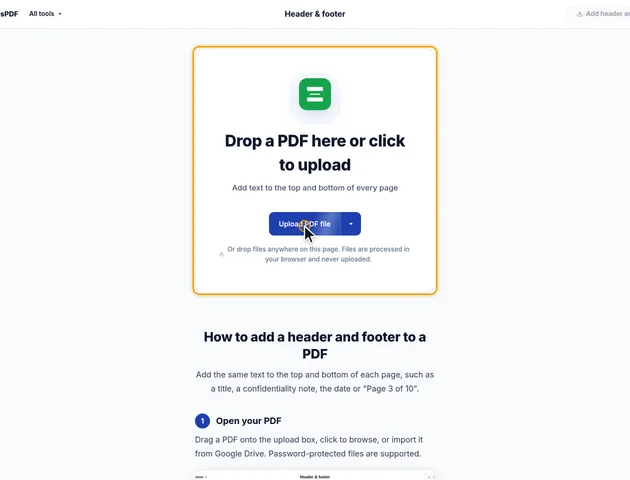
Drop a PDF here or click to upload
Add text to the top and bottom of every page
Or drop files anywhere on this page. Files are processed in your browser and never uploaded.
Add the same text to the top and bottom of each page, such as a title, a confidentiality note, the date or "Page 3 of 10".
Drag a PDF onto the upload box, click to browse, or import it from Google Drive. Password-protected files are supported.
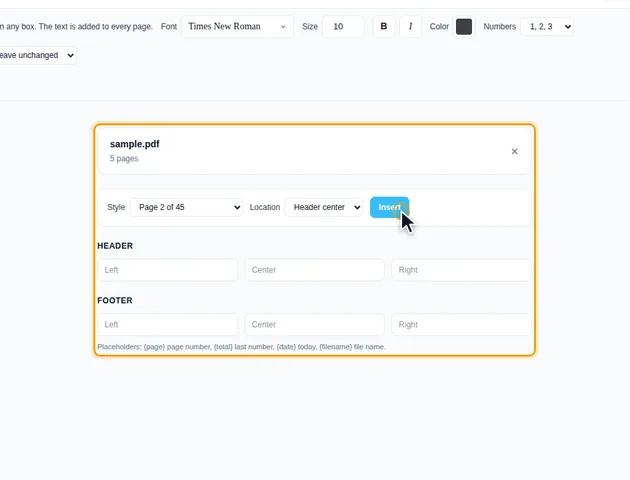
Fill in any of the Left, Center and Right boxes under Header and Footer. Use {page} for the page number, {total} for the number the last page of the document gets, {date} for today's date and {filename} for the file name. To start from a common format, pick a Style and a Location and click Insert. A preview of page 1 shows where the text goes.
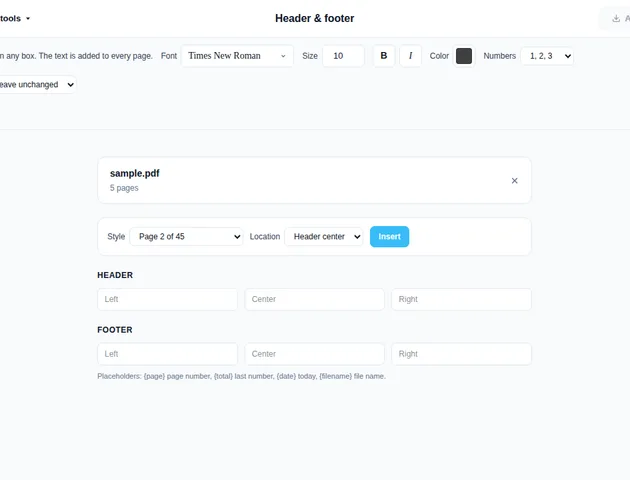
In the settings bar, choose the Font, Size, Bold and Color. Numbers sets how {page} and {total} are written: 1, 2, 3, Roman numerals or letters. Set Document margins to Increase margins if the new text would overlap existing content.
Under More options, Apply only to pages skips pages such as a cover (for example 2-last), Start numbering from sets the first number {page} shows, and Distance from edge (pt) sets how far the text sits from the page edge.
Click Add header and footer. On the results screen you can preview the pages, download the PDF, save it to Google Drive, open it in another tool, or delete the files.
Type Page {page} of {total} in a footer box. When you stamp only some pages, {page} still follows each page's position in the file, counted from the first stamped page, so with odd the pages read 1, 3, 5. {total} is the number the last page of the document would get, so on a 10-page file with odd, page 9 reads Page 9 of 10.
Two things in a PDF can make "the top of the page" less obvious than it looks. A page can carry a rotation setting, so it's stored upright but shown sideways. And it can have a crop box, which hides part of the stored sheet.
The tool works from the page as you see it. It takes the visible area, works out which edge is on top after rotation, and measures "Distance from edge (pt)" from there. A landscape page that's stored sideways still gets its header along the long top edge, reading left to right. A cropped page gets it inside the visible area, not in the hidden part.
Positions are fixed when you click the button, though. If you crop the file afterwards and cut into the margin, the header goes too. Crop first with Crop PDF, then stamp.
Times New Roman (the default), Helvetica and Courier map to the standard fonts that every PDF reader has built in. For ordinary Western European text nothing has to be embedded, so the file barely grows. When your text has characters those fonts don't cover, such as Greek, Cyrillic or Polish letters, the tool switches to an embedded Liberation font with the same letter widths (Liberation Serif in place of Times New Roman). The other fonts in the list are always embedded from a font file, which adds a little to the size.
It doesn't turn pages into images. Each page's drawing instructions are wrapped in one extra instruction that scales them down and shifts them, so text stays selectable and vector graphics stay sharp. Annotations get the same treatment: link areas, comments, ink drawings and form field boxes are moved and resized to match the content underneath.
The band it frees is the distance from the edge plus 1.4 times the font size. With the defaults (24 pt and 10 pt) that's 38 pt, a little over half an inch. A band is only made where you've typed something, so a footer-only job leaves the top of the page where it was. If the bands would leave less than 30% of the page height for the content, that page keeps its full size instead. That only happens with very large text on small pages.
Running the tool twice with this option shrinks the content twice, so start each attempt from the unstamped file.
The header is real text, but a scanned page is a picture of text. Search a scanned file after stamping and the only words it finds are the ones in your header and footer.
If the whole document should be searchable, run OCR PDF before you add the header. The order matters. OCR PDF skips pages that already contain text by default, and a stamped header counts as text. Stamp first and every page gets skipped, unless you untick "Skip pages that already have text" in the OCR tool.
Scans also tend to have a dark strip along one edge from the scanner lid. Crop it off first so the header sits on clean white.
There is no fixed limit. The file is processed in your browser, so the practical limit is your device's memory.
Yes. It works in any modern browser, including on phones and tablets.
Yes. The PDF is processed in your browser and is not uploaded to a server.
