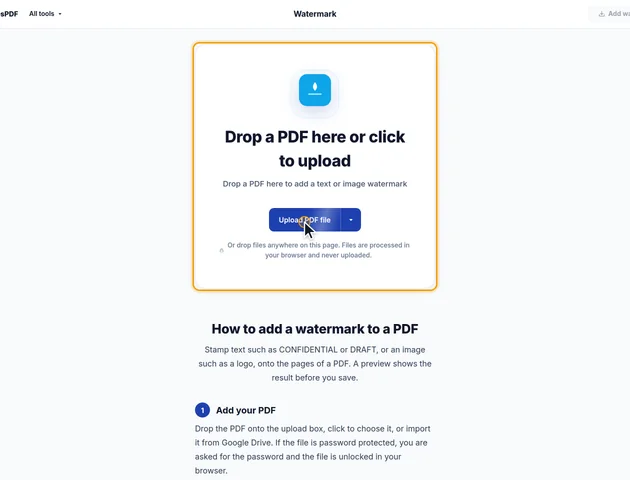
Drop a PDF here or click to upload
Drop a PDF here to add a text or image watermark
Or drop files anywhere on this page. Files are processed in your browser and never uploaded.
Stamp text such as CONFIDENTIAL or DRAFT, or an image such as a logo, onto the pages of a PDF. A preview shows the result before you save.
Drop the PDF onto the upload box, click to choose it, or import it from Google Drive. If the file is password protected, you are asked for the password and the file is unlocked in your browser.
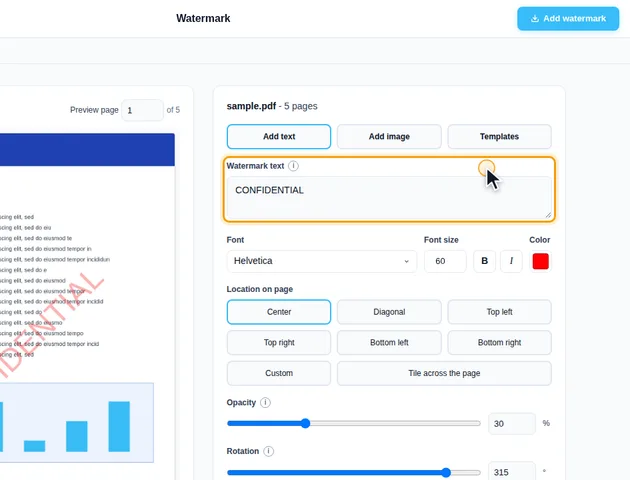
Choose Add text or Add image. For text, type it into Watermark text (CONFIDENTIAL by default) and set the Font, Bold, Italic, Font size and Color. Each line of text creates a separate PDF, so use one line for a single file. For an image, click Choose image to pick a PNG or JPG and set its width as a percentage of the page width.
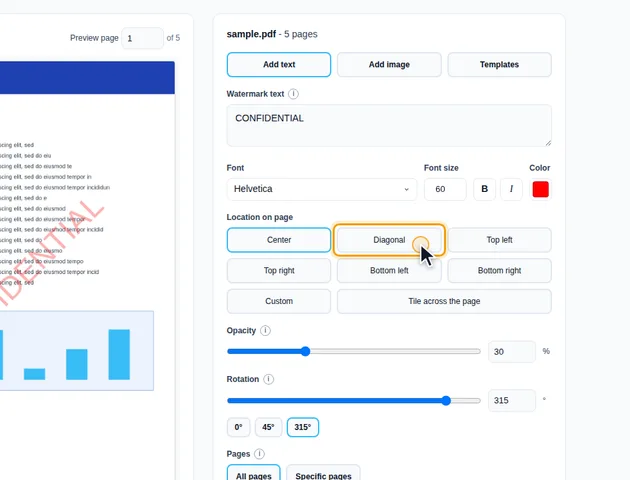
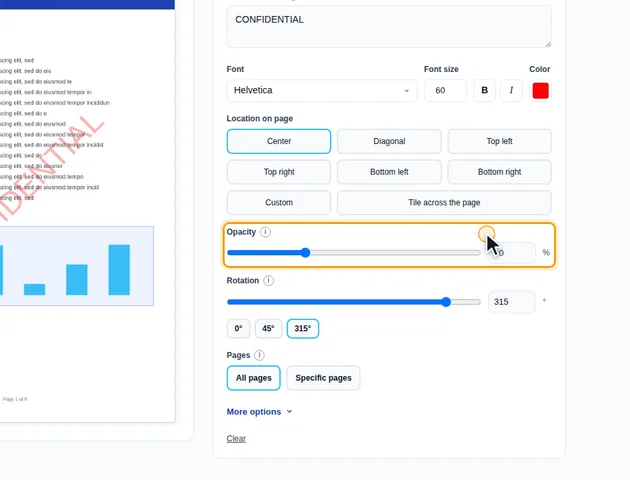
Under Location on page, pick Center, Diagonal, one of the four corners, or Custom. With Custom, use the sliders or click the preview where the watermark should go. Set Opacity and Rotation with the sliders or type exact values, then choose All pages or Specific pages, such as 2,3,10-20.
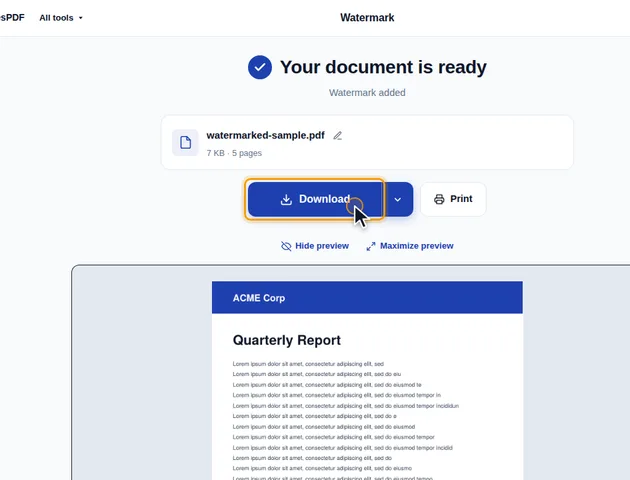
Click Add watermark. On the results screen you can preview the watermarked PDF, download it, save it to Google Drive, continue with another tool, or delete the files.
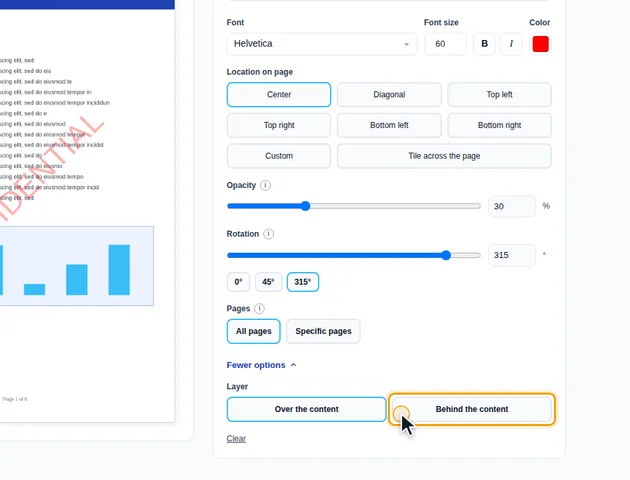
Opacity starts at 30%, so text under the watermark stays readable. Lower it for a faint mark, or raise it toward 100% for a solid stamp.
Under More options, Layer places the watermark Over the content or Behind the content. Pages with a solid background, such as scans, hide a watermark placed behind the content, so use Over the content for those.
Click Templates to save the current text, style, position and page settings under a name and load them again later. Templates are stored in this browser only.
Font size is measured in points (72 to the inch) and stays the same on every page. At the default 60 pt, CONFIDENTIAL in Helvetica is about 440 points long, a little over 6 inches. On an A4 or Letter page, turned diagonally, that fits comfortably. On an A5 page, which is only 420 points wide, a flat watermark at 0 degrees runs off both edges. On A3 it looks small.
An image watermark works differently. Its width is a percentage of each page's own width, so a logo set to 40% is 40% of the page across, whatever the page size. If your PDF mixes page sizes, say an A3 drawing inside an A4 report, an image watermark looks consistent and a text one doesn't. For text, either pick a size that works on the smallest page, or run the tool twice with Specific pages and a different size each time.
Positions are worked out from the page as you see it on screen, not as it's stored. A page saved in portrait with a 90 degree rotation flag still gets its watermark centred, and Top left still means the top left corner you see. If a page has been cropped, the visible area is what counts, so the watermark isn't centred on a part that's been cut away.
The four corner positions keep a margin from the edges of half an inch, or 6% of the page's width or height on small pages, whichever is less.
Before drawing, the tool wraps the page's existing content so that nothing in it can shift the watermark. Some PDF writers leave the drawing position changed at the end of a page, which can push anything added afterwards off the page or upside down.
An image watermark is stored once and reused on every page, so a 300 KB logo adds roughly 300 KB to the file, not 300 KB per page. A text watermark adds the font once. If the font you picked can't draw some of the characters you typed, such as letters from another alphabet, the tool switches to a fallback font that covers more of them. Check the preview for anything missing.
Tiling repeats the mark as separate copies, and the tool caps that at about 2,500 copies per page by widening the gaps if your settings would need more. A small font with small gaps on a long document still means a lot of drawing work, so dense tiles can make pages slower to display in some viewers.
Comments, highlights, sticky notes and form fields aren't part of the page content. Every viewer draws them above it, so they cover the watermark whichever Layer you choose. A filled-in text field with a white background, for example, will hide the part of the watermark under it.
If the watermark has to sit over everything, run the file through Flatten PDF first. That turns the fields and annotations into ordinary page content, and the watermark you add afterwards is drawn over them. If you'd rather get rid of the comments and highlights, Delete annotations removes them instead.
There is no fixed limit. The file is processed in your browser, so the practical limit is your device's memory.
Yes. It works in any modern browser, including on phones and tablets.
Yes. The watermark is drawn into the page content itself, so it can't be selected and deleted like a comment.
The file never leaves your device. The watermark is added in your browser and nothing is uploaded to a server.
